
How can I invite people to the room?
To invite people to your conference room, sign in at sonetel.com and click on Invite next to your conference room. 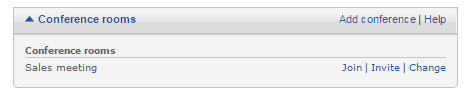
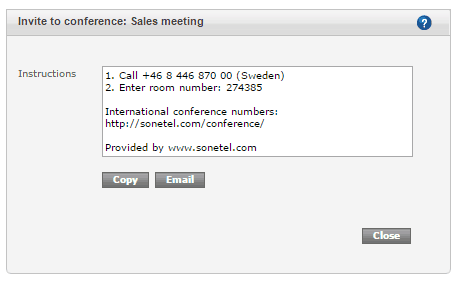
- Copy. Copies the invitation text to your clipboard, allowing you to paste it into an email or chat message - or whatever.
- Email. Opens a new email with the invitation text.
The conference number suggested in the invite is the one closest to you, but the link in the invitation provides access to all other conference numbers worldwide.