
How can I connect a Siemens phone?
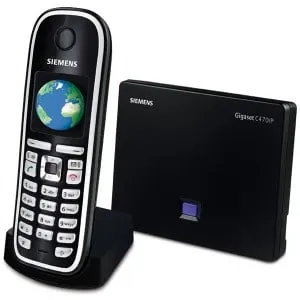
How to connect a Siemens phone to Sonetel
- Open the phone's web interface by entering its IP address on your PC's browser. If the IP address is not known then enter http://www.gigaset-config.com or http://www.gigaset-device.com
- Enter the device's PIN
- Go to Settings > Telephony > Connections
- Under Personal Provider Data enter the following settings:
- Authentication name: Enter the first part of the user's email address. If the email address is your.name@mycompany.com - simply enter your.name
- Authentication Password: Enter the user's Sonetel password
- User name: Same as Authentication name
- UnderGeneral Provider Data enter the following:
- Domain : Enter the 2nd part of the user's email address. If user is your.name@mycompany.com - simply enter mycompany.com
- Proxy server address : Enter sip.sonetel.com
- Proxy server port : 5060
- Registrar server : sip.sonetel.com
- Registrar server port : 5060
- Registration refresh time : Default value of 180 seconds is fine.
- Under Network enter the following:
- STUN enabled : Yes
- STUN server : stun.sonetel.com
- STUN port : Default value of 3478 is fine.
- Outbound Proxy mode : Always
- Outbound proxy : sip.sonetel.com
- Outbound proxy port : 5060
- Under Personal Provider Data enter the following settings: