
My personal Call Recording settings
If call recording isallowed in your Sonetel account you will be able to configure your personal call recording settings. Follow these steps to configure your personal Call recording settings.
- Sign in at sonetel.com.
- Look in the Call recording section (if you are an Admin, first click on My settings).
- Click on Configure.

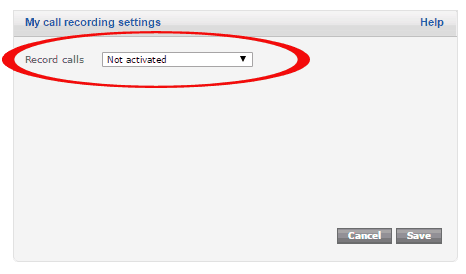
- Record calls The following options are available:
- Not activated. Calls are not recorded, unless the call involves a Phone number that has Call recording activated.
- Record all calls. All your calls are recorded.
- Record incoming calls. All incoming calls are recorded.
- Record outgoing calls. All calls made by you are recorded.
Only use Call recording if you can do so without breaking any laws and without violating Sonetel's terms and conditions.
The call recording function may be automatically disabled by the Sonetel system in case the call involves a country or region where call recording is strictly prohibited.