
Business Phone Numbers for Entrepreneurs
Have your own Business Number anywhere. From $1.79 per month.
Try Free★★★★4.4/5 on Trustpilot
Have a business phone number anywhere
Get your own phone number in any city or country. Calls ring in the Sonetel app, or forward to your mobile or any phone worldwide. From $1.79 per month.
Try Free — Have a business phone number anywhere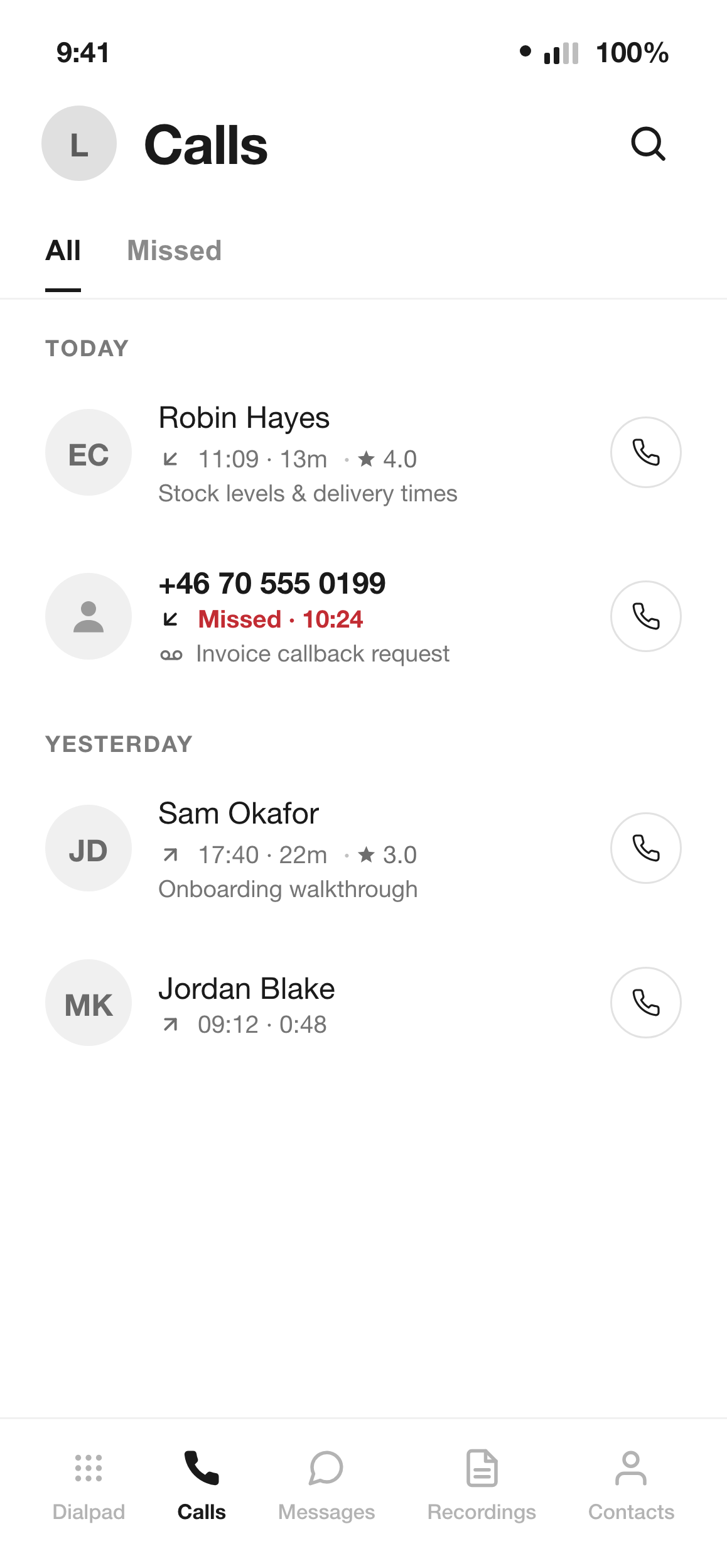
Answer on your phone, without a second SIM
Your Sonetel number rings in the free app for iPhone and Android, so you answer business calls wherever you are. Answering in the app avoids the call-forwarding cost. You can send and receive SMS on some types of numbers (see which ones).
Learn more — Answer on your phone, without a second SIM
Get a summary of each call
Turn on call recording and get a written summary of each business call, covering the agreements made and each topic discussed. Included in the Premium and Business plans.
Learn more — Get a summary of each call
See how each customer call went
Sonetel scores each customer call it detects from 1 to 5 on how well you handled it, with the reasoning behind the score and suggestions for improvement. Included in the Premium and Business plans.
Learn more — See how each customer call went
Follow up without writing the email
After a call, get a suggested follow-up email you can send to the person you spoke with, highlighting what you agreed. Included in the Premium and Business plans.
Learn more — Follow up without writing the email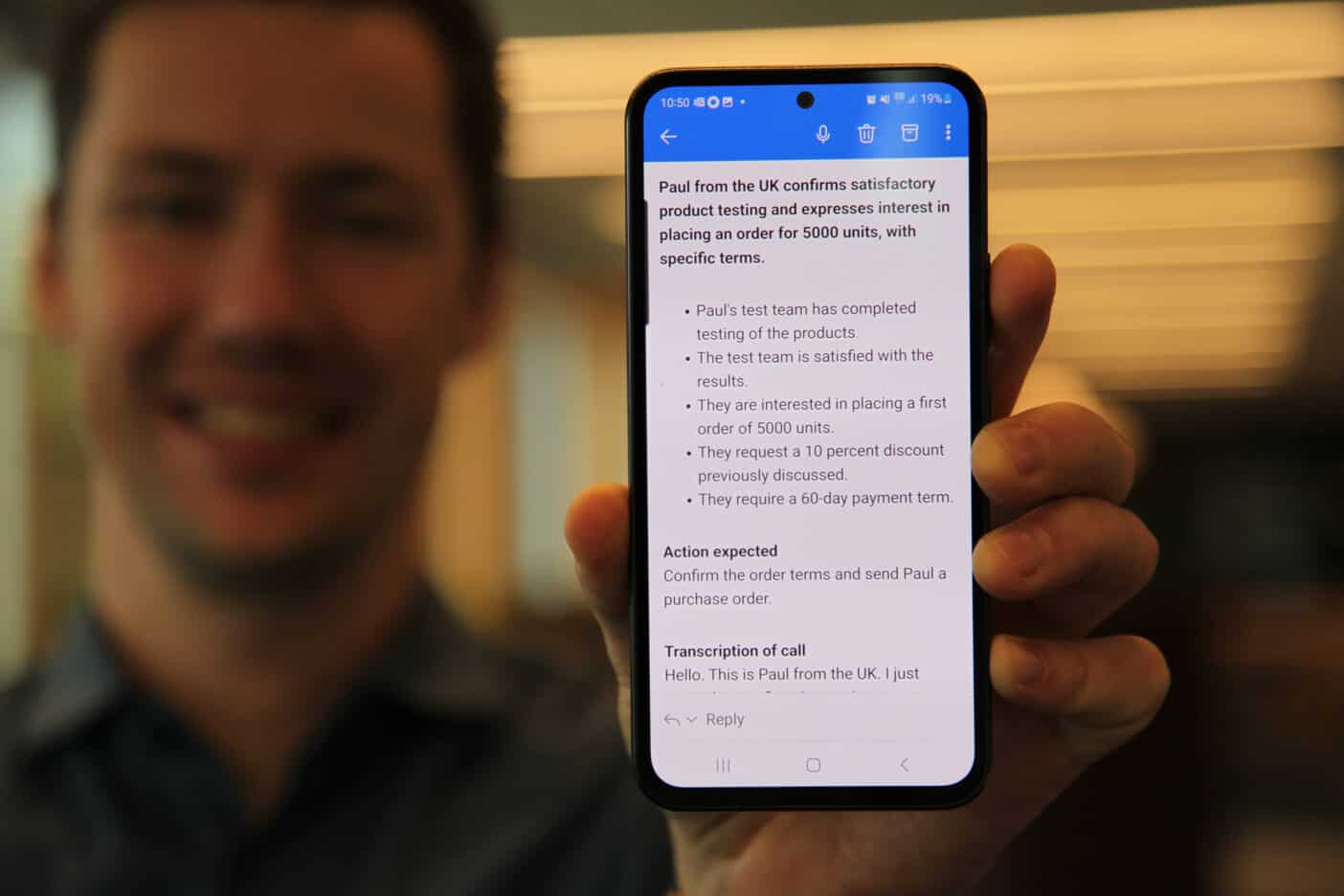
Read your voicemail
Voicemail reaches you by email on any plan. On Premium and Business it also arrives transcribed and summarised, in the major languages.
Try Free — Read your voicemail
34,000+ paying customers worldwide
We have 34,000+ active paying businesses across 170 countries. Services were launched in 2009. The company is publicly listed on Nasdaq First North Growth Market in Stockholm, Sweden.
Voice response
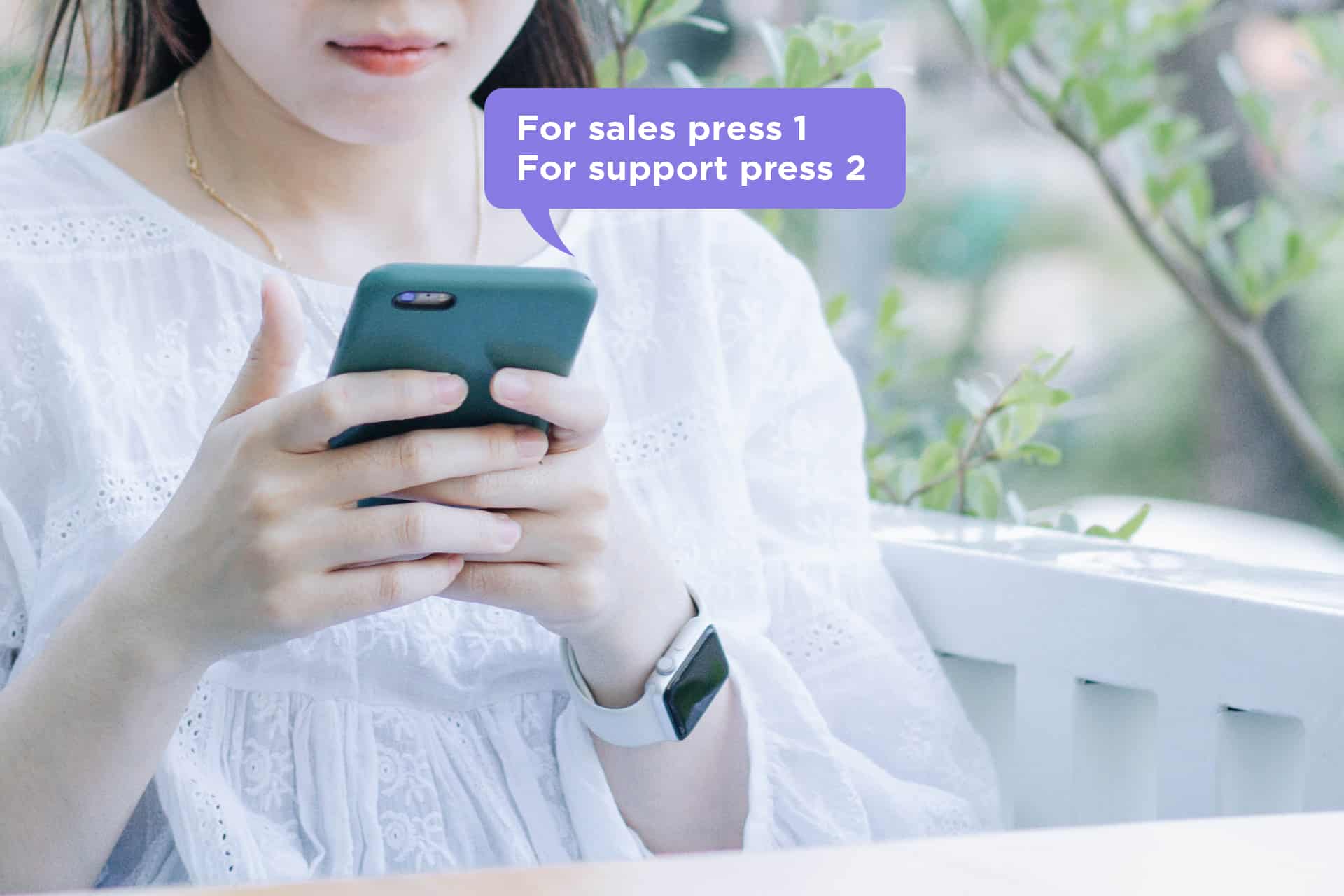
Answer incoming calls with a professional voice menu: "For sales press 1, for support press 2." Route callers to the right person or team. Included in the Premium and Business plans.
Learn more — Voice response
Make calls
Make outbound calls from your business numbers using the Sonetel app or web app. On a paid plan, once your identity is verified, outbound calls from the app can show your business number. Free calls to 40+ countries on paid plans.
Try Free — Make calls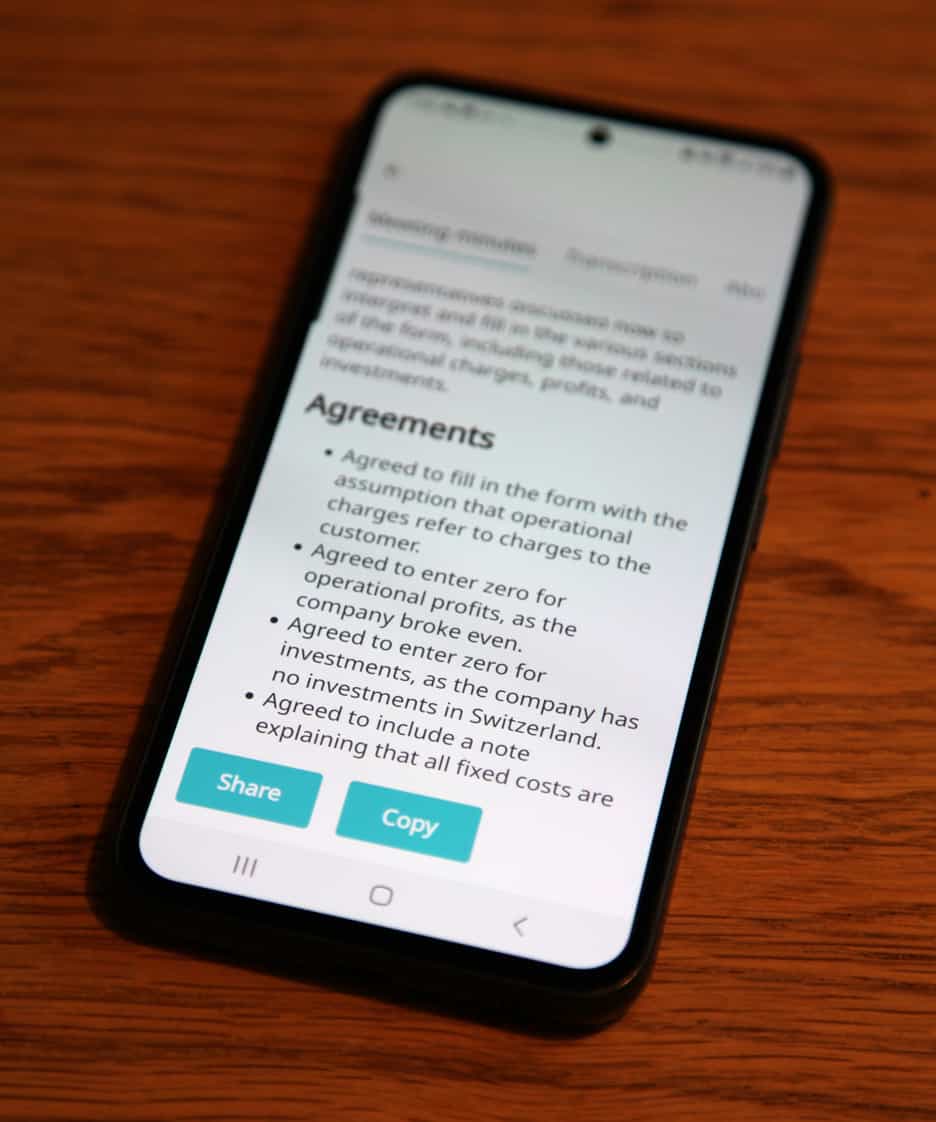
Other services
SMS, meeting summaries, SIP trunking, Communications API, Cloud IVR. Explore all the tools available to grow your business.
Learn more — Other services